Developing an engaging event app for participants to explore and keep track of activities
EVENT APP | UX/UI DESIGN
INTRODUCTION
This is an app created for participants speakers and organisers. Participants can explore activities and add them to the in-app calendar keeping track of events, workshops or icebreakers they will be attending during the event.
User research objective
Get in-depth knowledge and behavioural understanding of potential users.
DISCOVERY AND RESEARCH
To conduct a user study, 10 users were interviewed to determine user awareness, frustrations and technical capabilities. Along with interviews, I constructed surveys to understand potential users' interest in event workshops and icebreakers and discover challenges users faced when attending other events.
USER FLOW
Mapped out the route the user interacts with the app when completing tasks. Used card sorting method to evaluate and design information architecture for the app.
REGISTER AND LOGIN
User flow

ADDING A WORKSHOP TO THE CALENDAR
User flow

INITIAL SKETCH
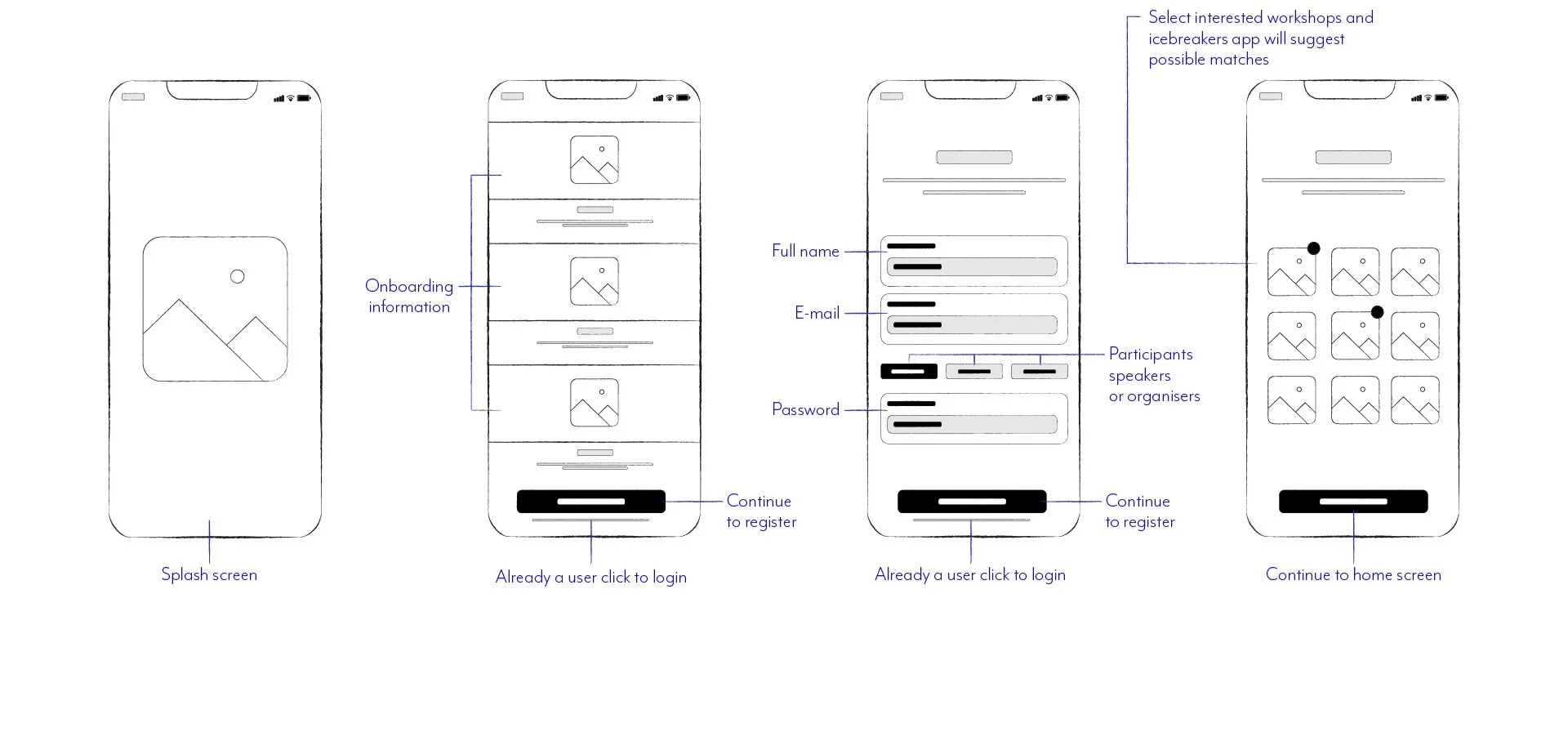
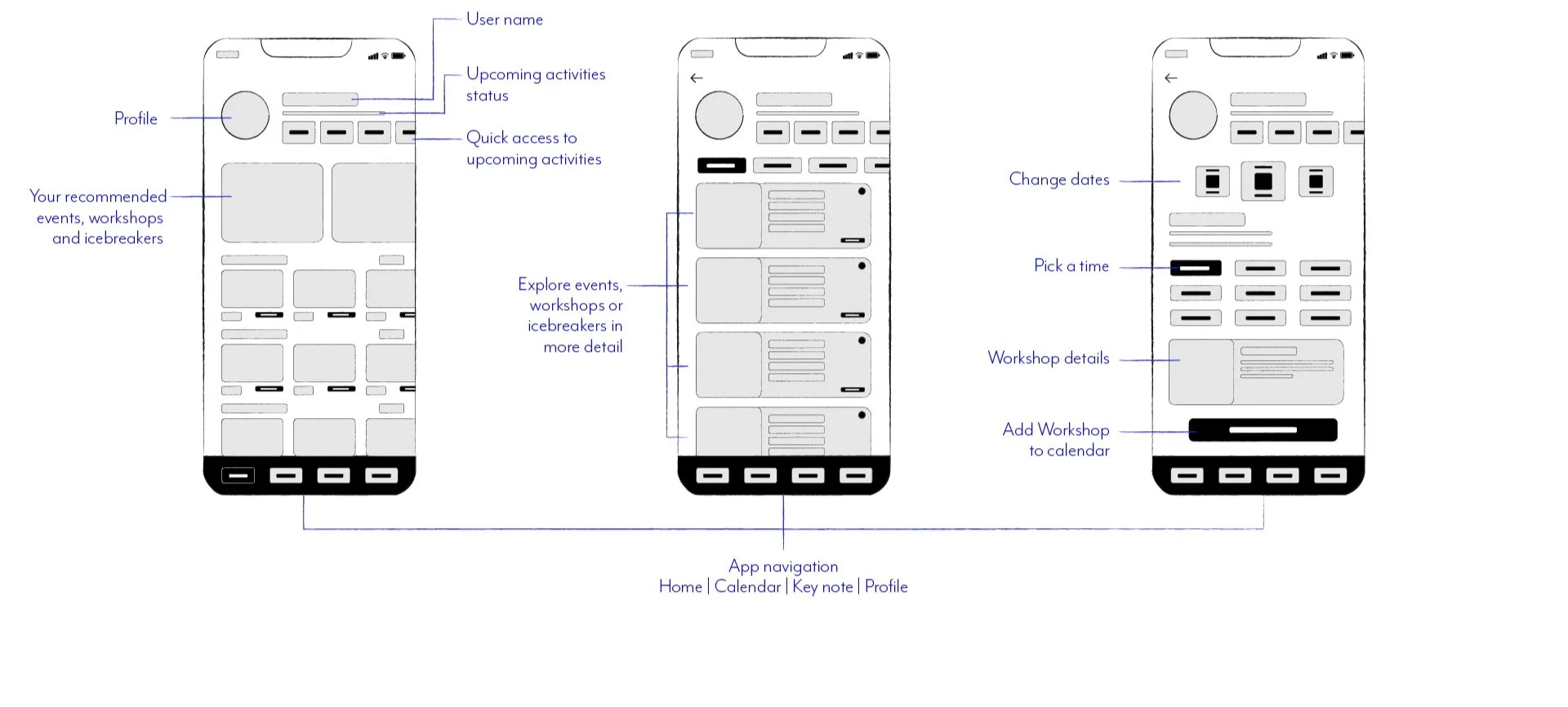
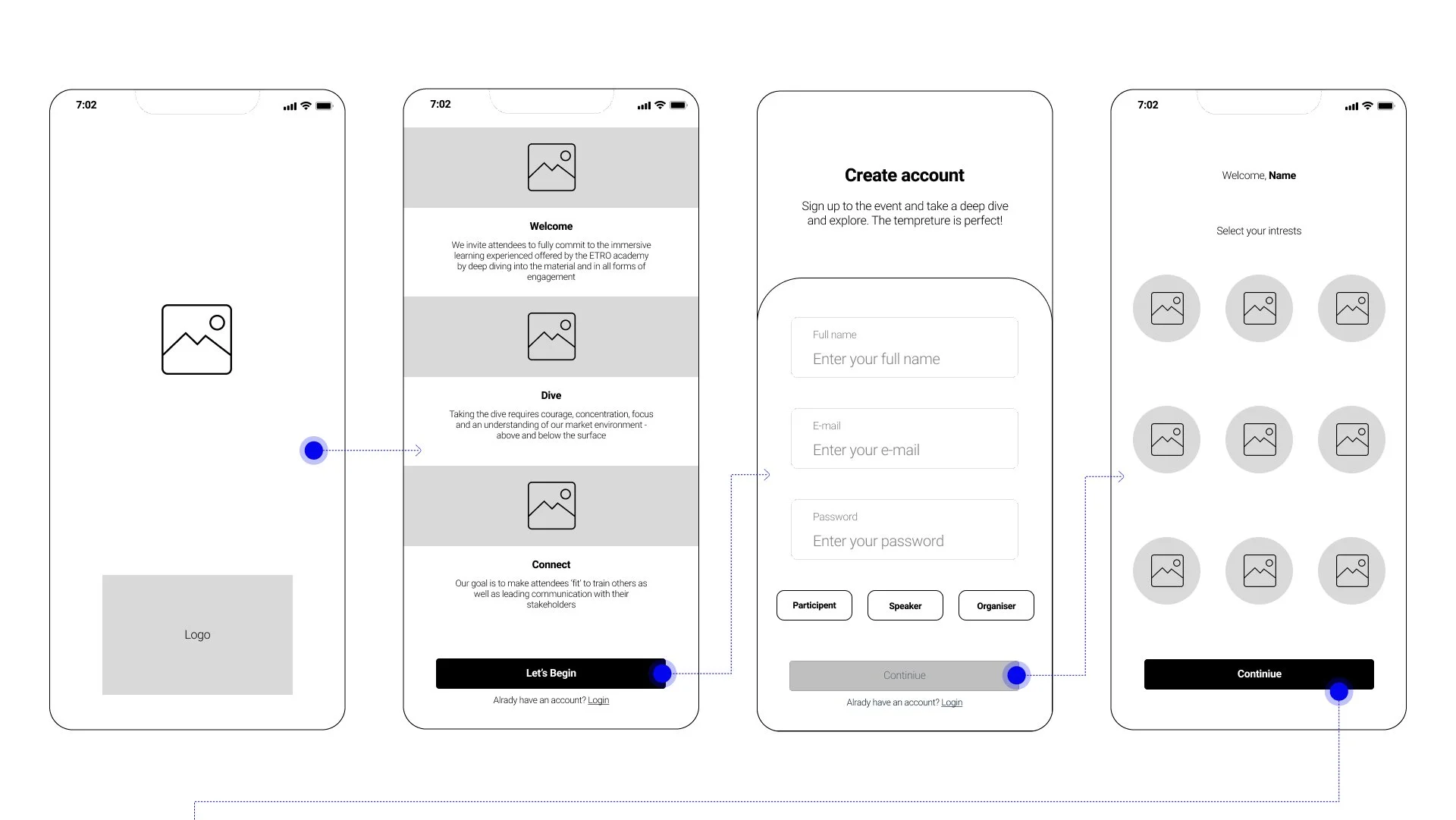
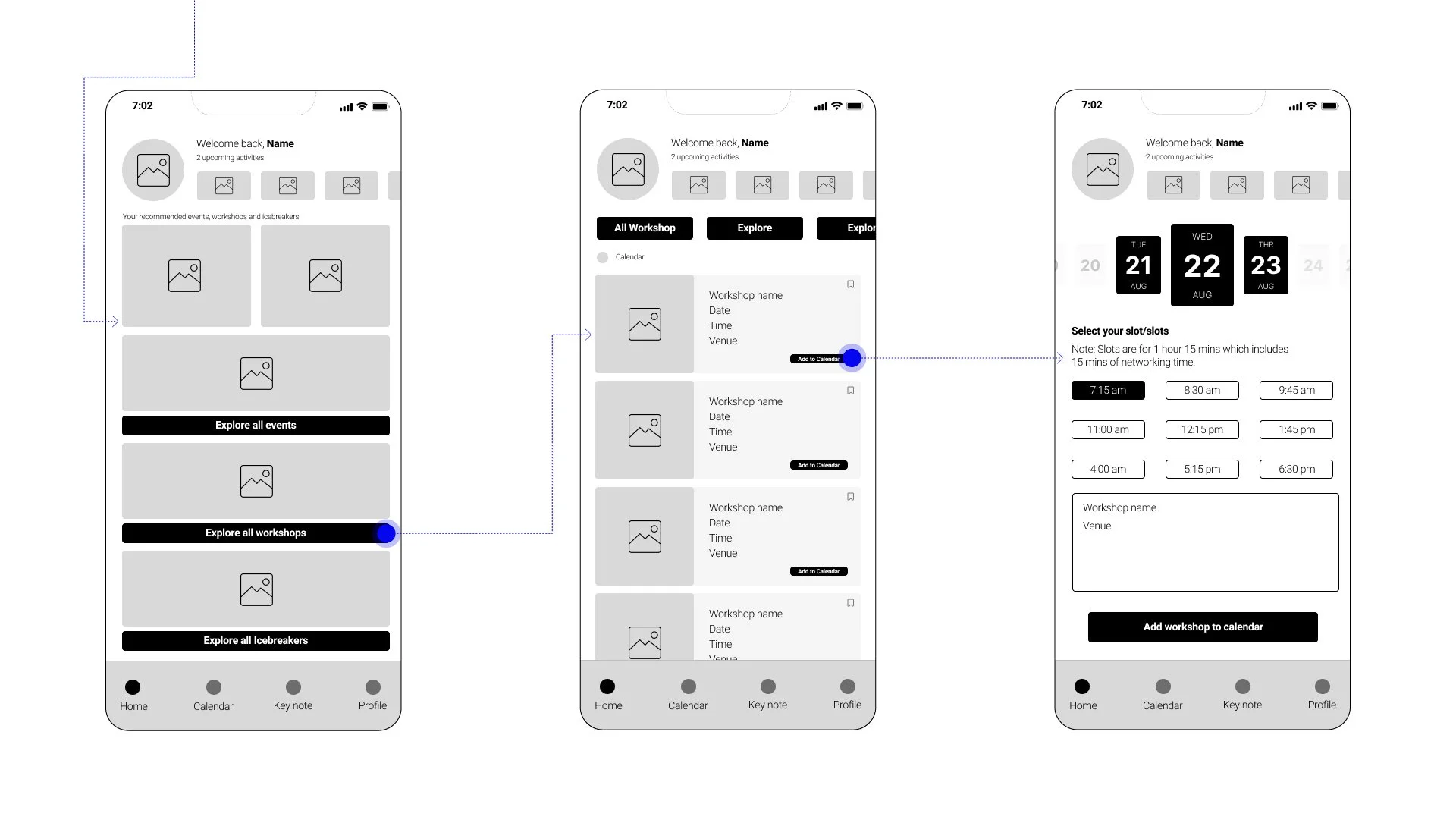
I started with a simple paper and pencil sketches wireframe, it gave an overview of the app. When converted to low fidelity prototypes it was clear how well each component was perceived in terms of visual flow and contextual understanding.
REGISTER AND LOGIN FLOW
Wireframes
ADDING A WORKSHOP TO THE CALENDAR FLOW
Wireframes
USABILITY TESTING AND HIGH-FIDELITY MOCKUP
In the final stage, I conducted a usability test with a group of users to understand how the users feel about the application and the ability to complete tasks.
REGISTER AND LOGIN FLOW
Low fidelity prototype
ADDING A WORKSHOP TO THE CALENDAR FLOW
Low fidelity prototype
VISUAL DESIGN
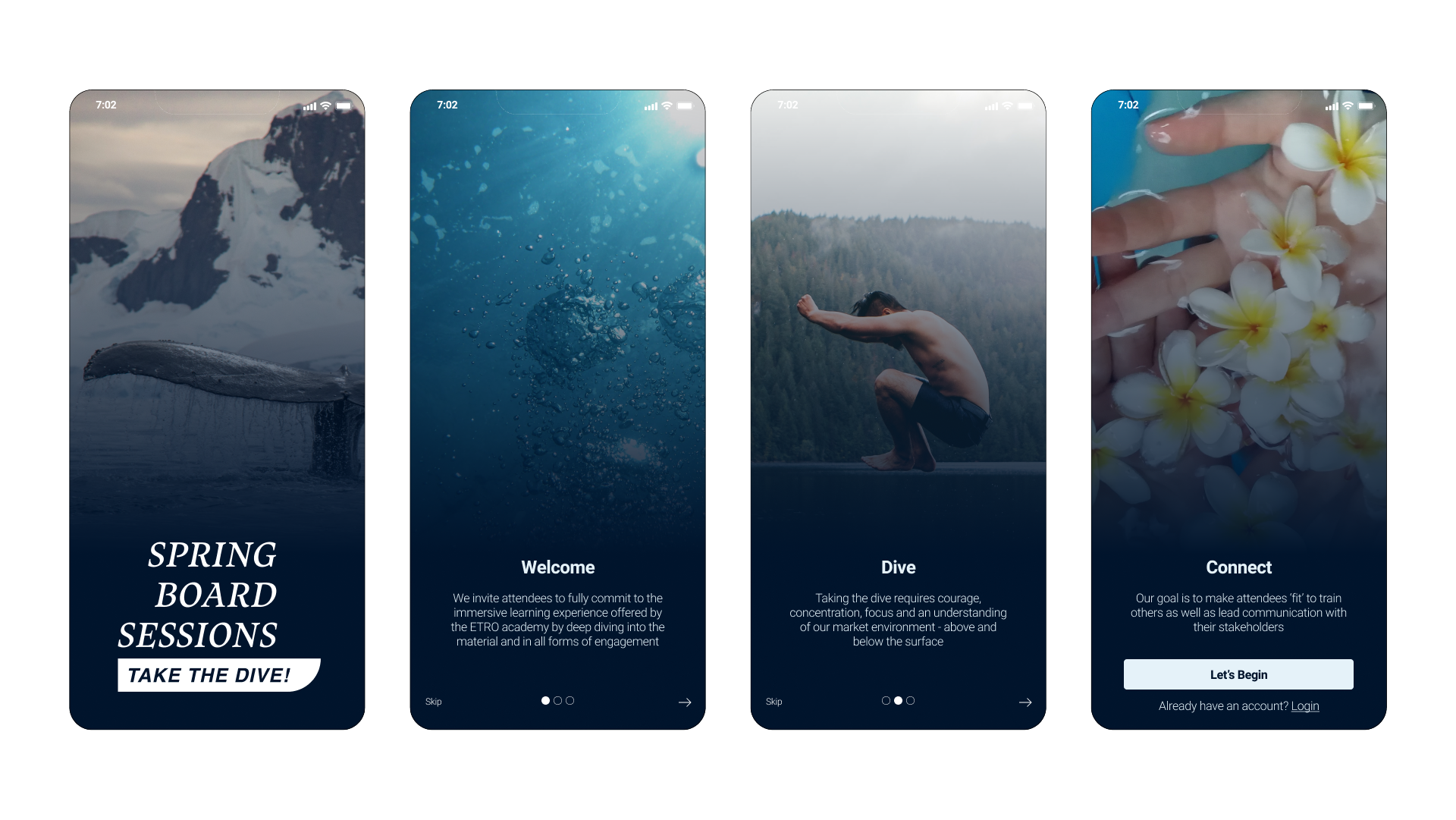
Once the functions and features of the app have been established, the visual design can be applied. The focus is to add all the necessary features in a way that is easy to use and distinguishable.
ICONOGRAPHY
Linear icons are easy to understand and visually express the features used in the application.

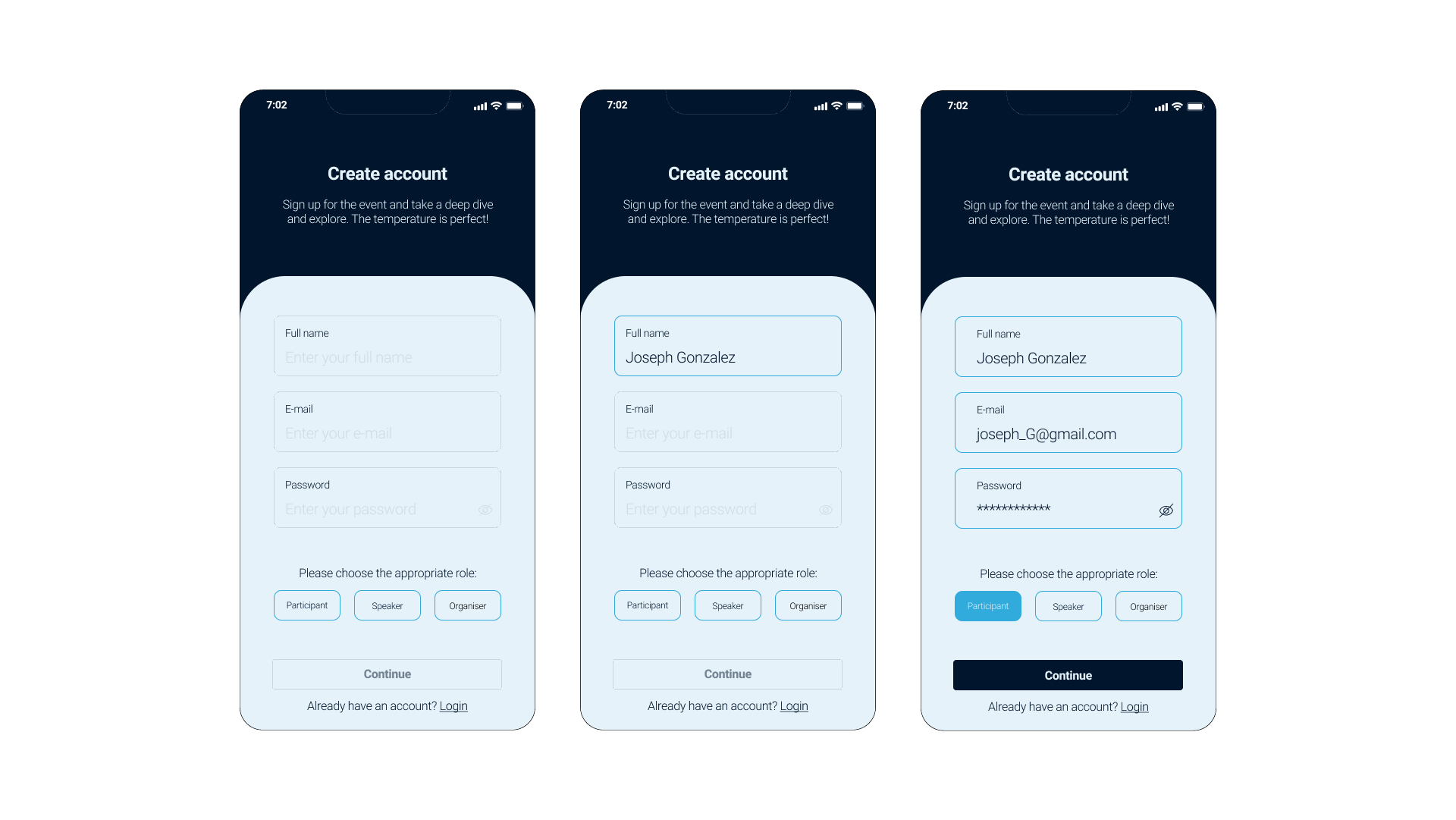
REGISTER AND LOGIN
Quick hassle-free registration and easy onboarding process.
SPLASH AND ONBOARDING FLOW
High fidelity mockup
REGISTER AND LOGIN FLOW
High fidelity mockup
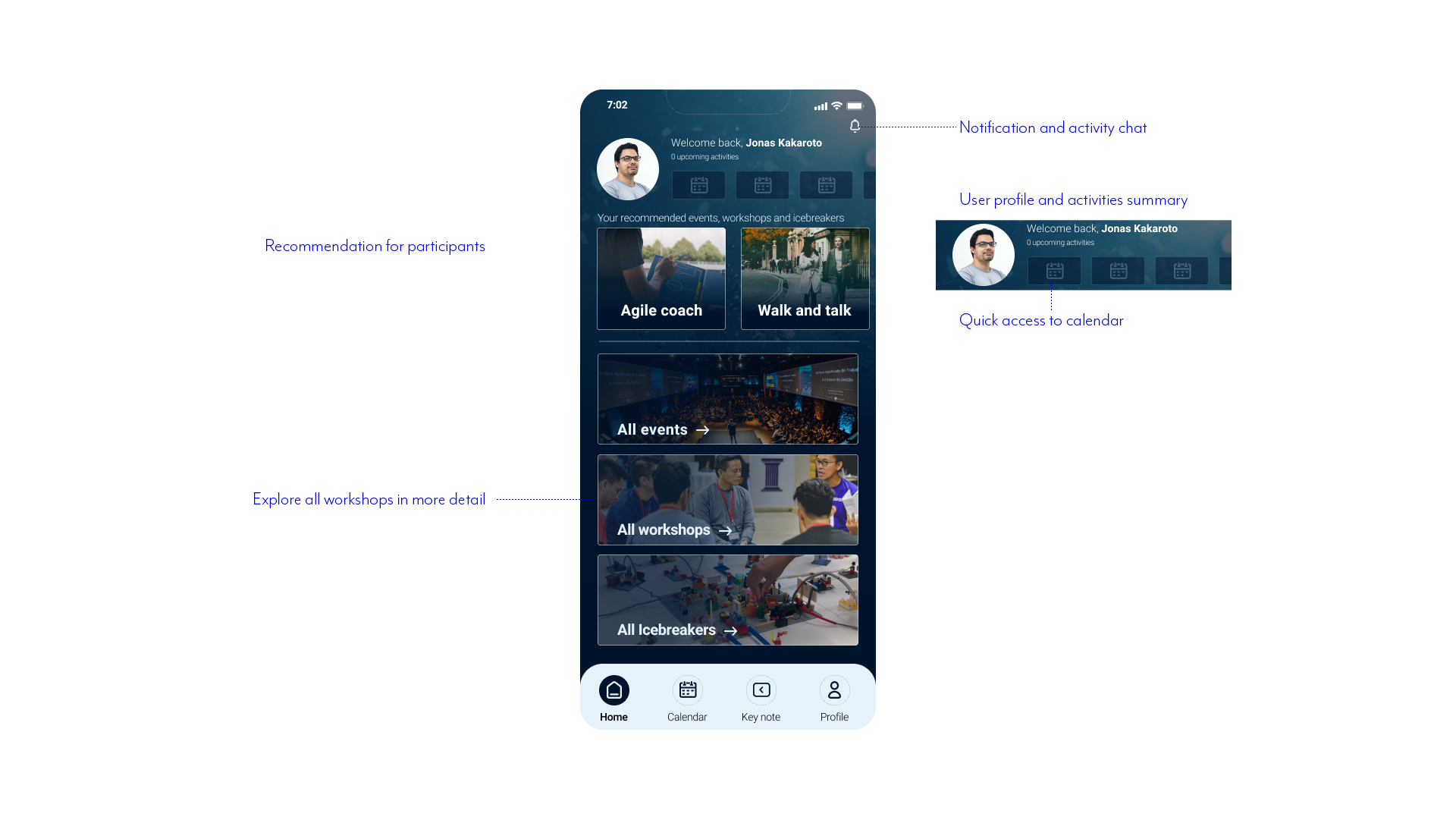
HOME
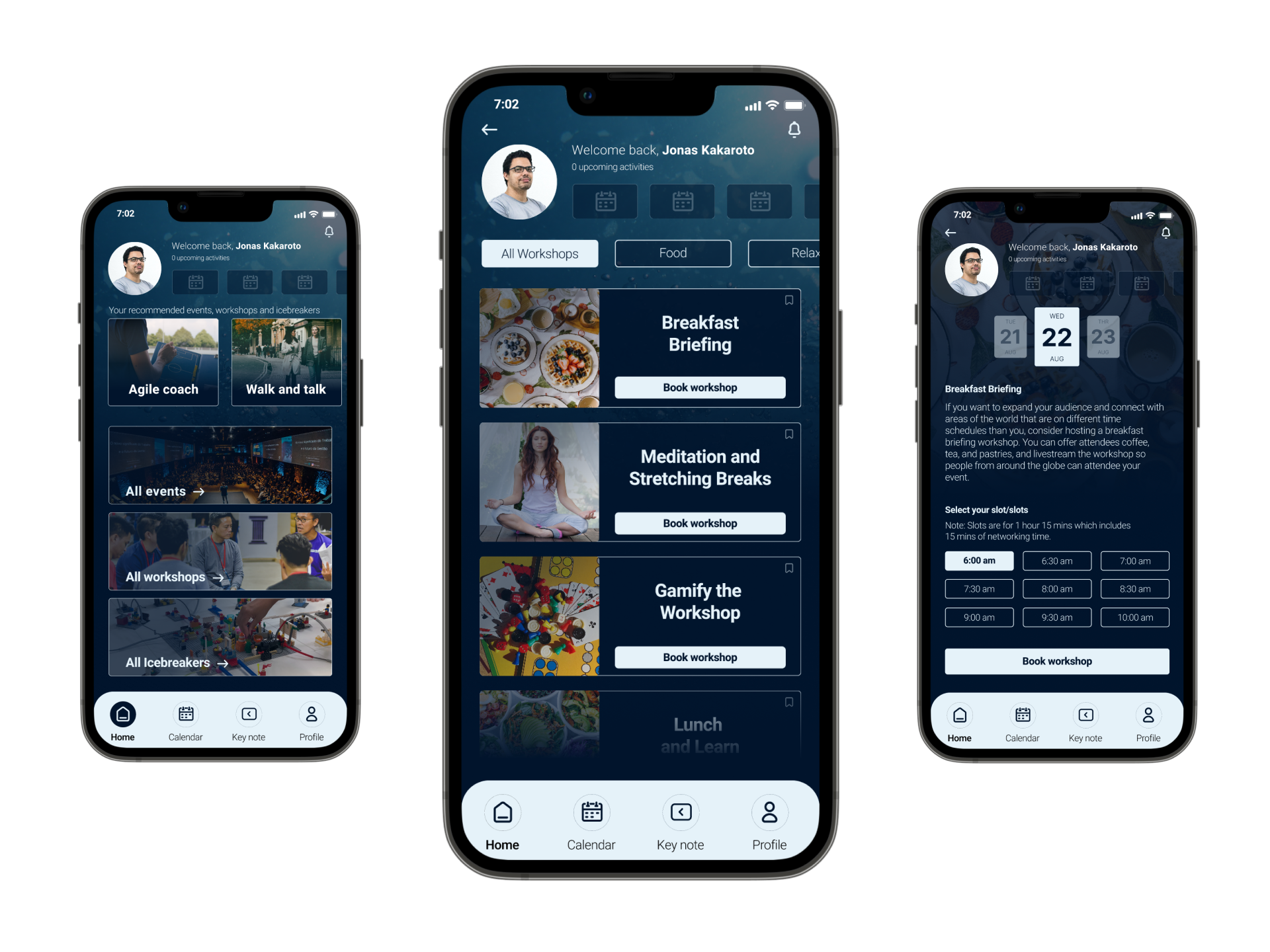
Home screen the user gets a summary of upcoming activities and can explore events, workshops and icebreakers.
Home screen
High fidelity mockup
BOOK ACTIVITIES
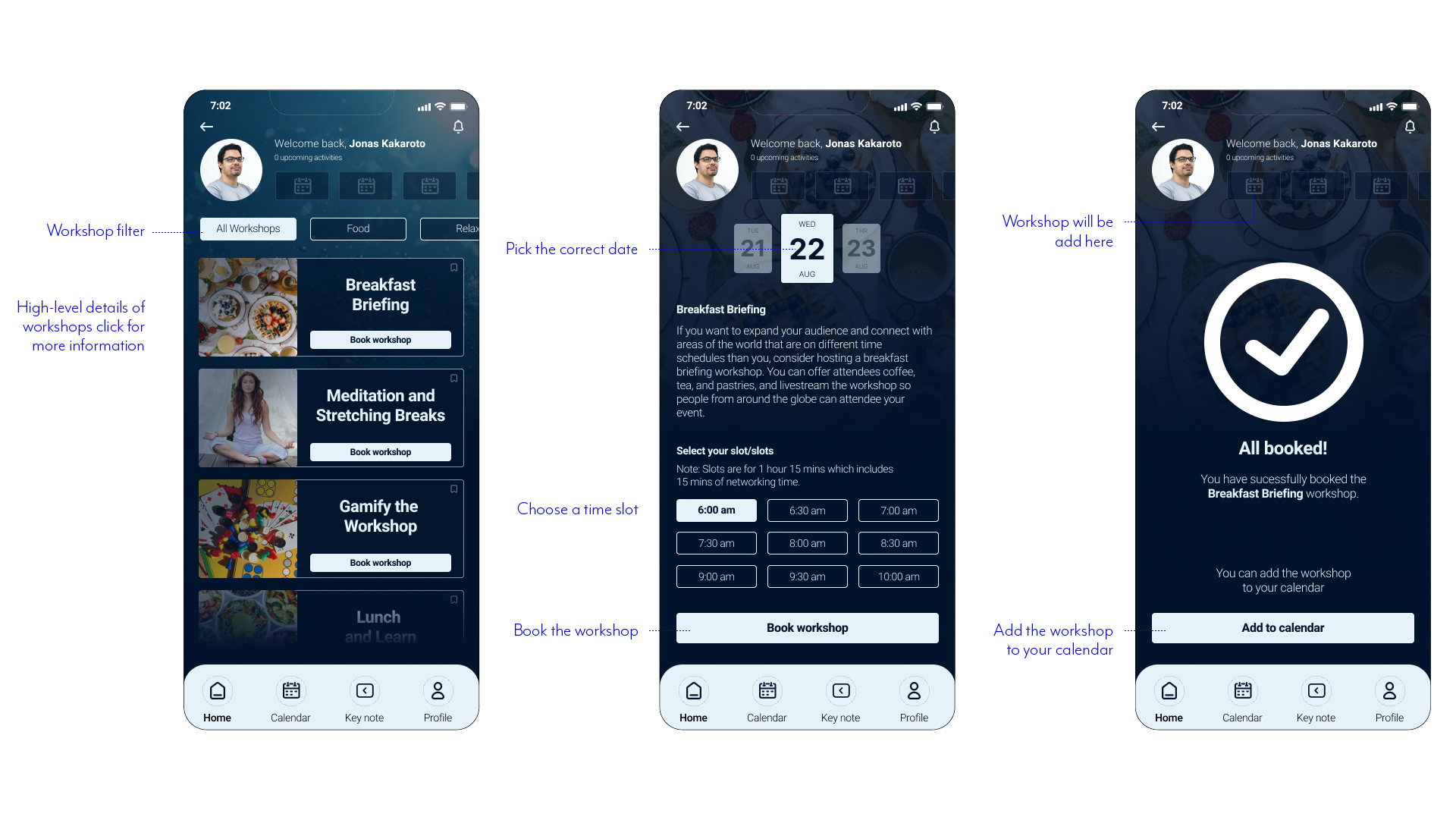
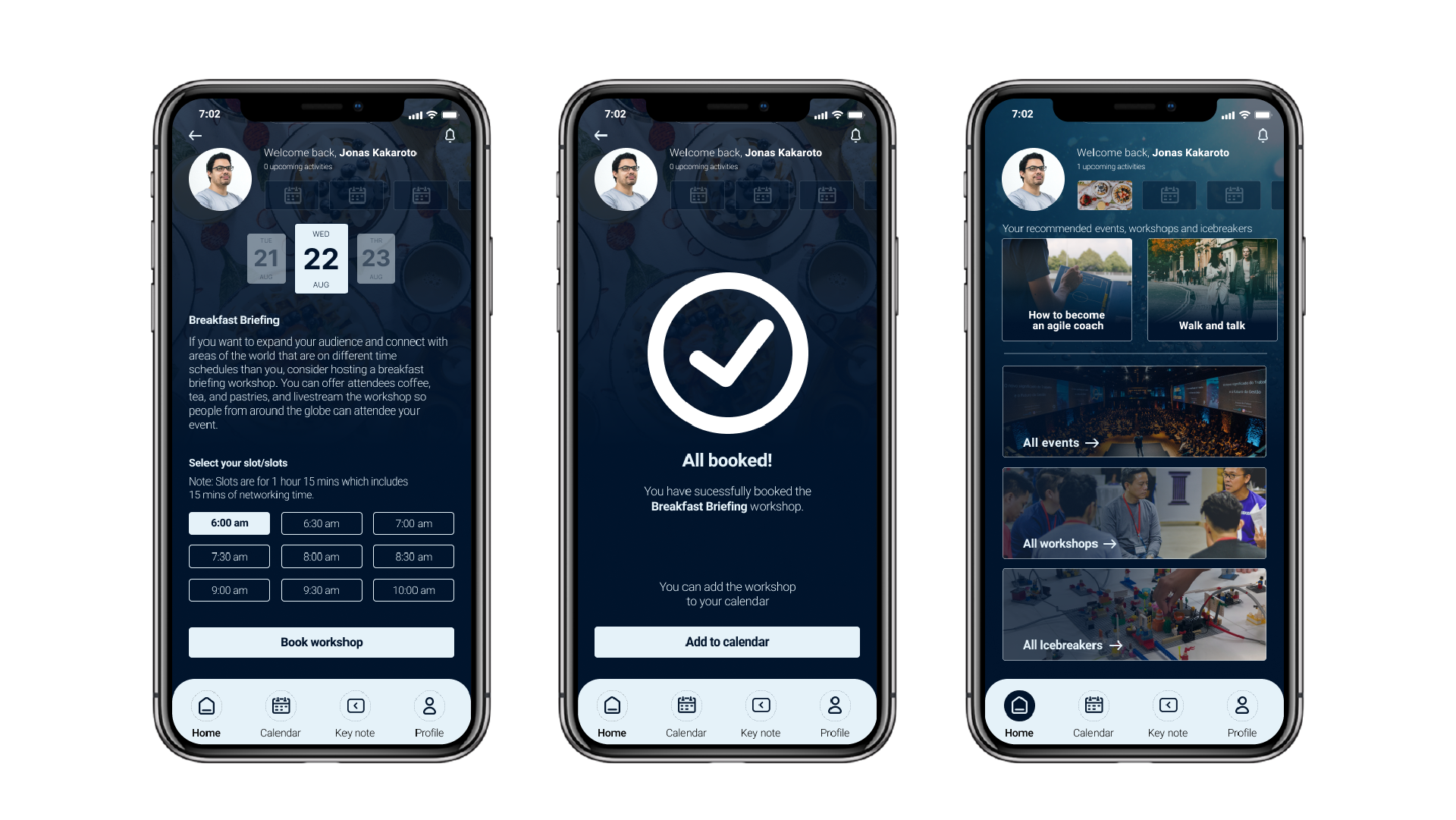
Users can browse through the list of activities and book them by selecting a date and time. More activity details can be seen before booking.
ADDING A WORKSHOP TO THE CALENDAR
High fidelity mockup
Mad Chilli: Revenge of the roots
Improving the experience of selecting abilities in skill trees
Stone Breaker
Designing the menu screens for a puzzle shooting game
Fantasy Football